

On 22 October 2026, a website owner reported thousands of new 404 errors in Google Search Console for video URLs their website had never hosted. Some of the URLs contained an unfilled placeholder: ?t={seek_to_start_number}.
When they inspected the URLs, Google showed no referring pages. In the same discussion, another user described a website that had been hacked six months earlier and had recently been accepted into Google News.
These reports highlight a problem that can be difficult to diagnose: Google can discover URLs that your website never created, never hosted or never intended to publish.
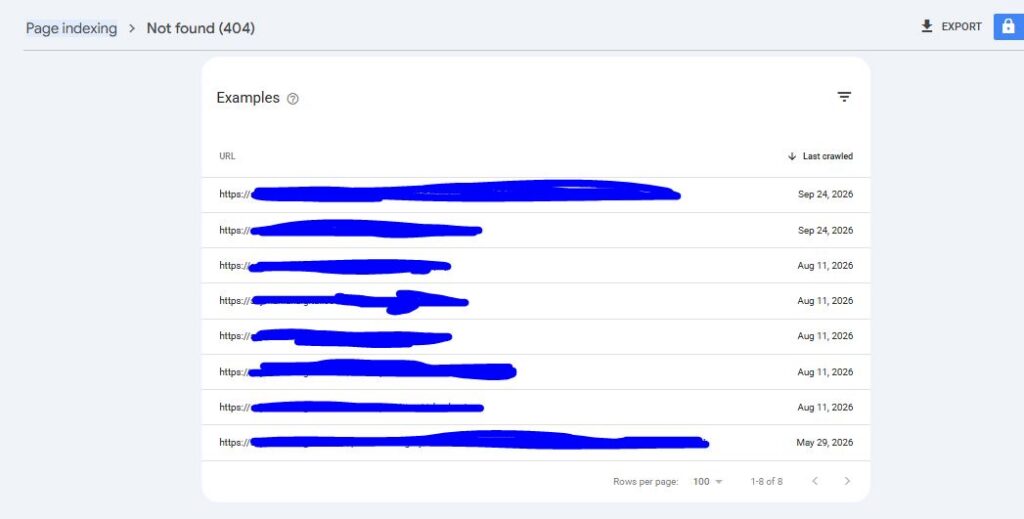
It can find them in broken website templates, video markup, old embed code, links on other websites and hacked pages.
Most of these unexpected 404 errors are harmless. However, some can reveal broken code, wasted crawling on large websites or a security problem that needs attention.
The challenge is knowing which situation you are dealing with.
This guide explains how to investigate unexpected 404 errors, trace where the URLs came from, identify broken video markup and rule out a hack. It also covers what SEO, content, marketing, development and security teams should do when these URLs appear in Search Console.
1. What Happened?
On 22 October 2026, a website owner posted in WebmasterWorld’s ongoing Google update discussion. They said Google had apparently reindexed their website for the third time that month, while Search Console was reporting thousands of 404 errors for URLs like these:
mywebsite.com/public/video/226a0da06dsfs017d5.mp4?t={seek_to_start_number}
mywebsite.com/media/mp4/ffe5dc345345498dd3.mp4?t={seek_to_start_number}
mywebsite.com//assets/content/v/edd4ddv3342b.mp4?wmode=opaque&controls=1
The website owner said they had never hosted these video files. URL Inspection also showed no referring pages.
Another person in the same discussion reported falling traffic from Google Discover and Google News. They also described a website that had allegedly been hacked six months earlier, was spreading spam links and malware, and had subsequently been accepted into Google News.
Neither report can be independently confirmed from the discussion alone, and the claims about the hacked website relate to someone else’s site.
However, the URL patterns provide some useful clues. They resemble problems that can occur when video templates, embedded players or website code generate incorrect URLs.
What the URLs Can Tell You
| Clue | What it could mean |
|---|---|
?t={seek_to_start_number} | A URL template contains a placeholder that was never replaced. It resembles Google’s video key moments markup, but the documented placeholder is {seek_to_second_number}. The SeekToAction target should point to the page where the video can be watched, not directly to the video file. |
.mp4 files you have never hosted | Video structured data, a player configuration or an embed may contain an incorrect contentUrl, embedUrl or file path. |
//assets/... with a double slash | Code may be joining a base URL and a path that both contain a slash. Alternatively, a protocol-relative URL may have been resolved against your domain. |
wmode=opaque&controls=1 | These parameters resemble older Flash-era or iframe embed code that may still exist in a template, player or saved page. |
| Long, random-looking filenames | These may be generated identifiers from a video platform or content management system rather than URLs created manually. |
| No referring page in URL Inspection | This is not unusual. Google does not always show where it discovered a URL, particularly when it came from markup, JavaScript or an external website. |
These clues help narrow down the investigation, but none proves the cause on its own.
What Google’s Documentation Says About 404 Errors
Google’s documentation provides several important points for investigating these URLs.
404 errors are not automatically a problem. Google’s Page indexing report guidance explains that a 404 for a page that does not exist is an expected result. You generally need to fix errors for URLs that you link to yourself or include in a sitemap.
You cannot simply tell Google to forget a URL. Google may retry a URL that returns 404 for a while, although it should crawl it less frequently over time.
Google can discover URLs from many sources. These include links on other websites and URLs that existed in the past.
Video markup must point to the correct URLs. The contentUrl property should point to the actual video file, while embedUrl should point to the video player. A SeekToAction should be associated with the page where the video can be watched.
Hacked content can violate Google’s spam policies. Code injection, unwanted pages and redirects that behave differently for users and search engines are among the problems Google’s guidance warns about.
The key distinction is whether Google has found a URL that never existed, or whether something on your own website is generating incorrect URLs.
2. Why Do Unexpected 404 Errors Matter?
A URL returning 404 does not automatically damage your rankings. If the page never existed, returning a 404 is usually the correct response.
The risk comes from what these unexpected URLs may reveal, and from how your team responds to them.
1. Broken Markup Can Stop Your Videos Appearing Properly in Search
If your website generates video URLs with unfilled placeholders or incorrect file paths, Google may not be able to use the associated video markup correctly.
Features such as video previews, key moments and video indexing depend on accurate contentUrl, embedUrl and SeekToAction values.
If thousands of unexpected video URLs appear in Search Console, your video markup may be producing incorrect URLs behind the scenes.
That is worth investigating, particularly if the affected URLs match patterns used by your own video templates.
2. Large Websites May Waste Crawling on URLs That Do Not Exist
A few thousand unexpected 404s may be insignificant on a small website. On a site with hundreds of thousands of pages, however, unnecessary crawling can become a concern.
This is particularly relevant when Google already struggles to keep important pages up to date.
Our analysis of Google’s crawl, index and serving timings explains why delays between crawling, indexing and showing content in Search matter.
However, do not assume that every unexpected 404 wastes a meaningful amount of crawl capacity. The impact depends on the scale of the website, how frequently Google requests the URLs and whether important pages are being crawled less often as a result.
3. Unexpected URLs Can Be an Early Sign of a Hack
Spam URLs under your domain may include pharmacy terms, casino pages or content in languages you do not use.
These URLs might return 404 because an earlier hack was cleaned up but links to the injected pages still exist. Alternatively, malicious content or redirects may appear only under certain conditions.
Our September 2026 spam update analysis explains how hacked or injected pages can be linked to sudden search visibility problems.
The WebmasterWorld report about a previously hacked website appearing in Google News cannot be verified from the discussion alone. Nevertheless, it is a useful reminder that you should not rely on Google to identify every security problem on your website.
If unexpected URLs contain spam terms, or you find unknown pages, scripts or redirects, investigate the possibility of a hack.
4. Unexpected Errors Can Hide Genuine 404 Problems
A Search Console report containing thousands of unexpected URLs makes it harder to spot errors that actually matter.
For example, a product page may have been deleted accidentally while internal navigation still links to it. Alternatively, your sitemap may still list URLs that no longer exist.
These are problems you should fix.
Grouping errors by URL pattern helps you separate large numbers of harmless unexpected URLs from smaller groups of genuine broken pages.
5. The Wrong Fix Can Cause More Damage Than the 404s
Some common reactions can create additional problems.
Redirecting every URL to the homepage. Google may treat irrelevant redirects as soft 404s. You also lose the chance to identify what generated the incorrect URLs.
Returning a 200 status with an error message. This can create soft 404s, leaving Google to work out whether the page contains anything useful.
Blocking broad URL patterns in robots.txt. A broad rule might also block legitimate pages. It does not guarantee that URLs already known to Google will disappear from Search.
Requesting removal of thousands of URLs that are not indexed. This can waste time without solving the underlying problem.
The right approach is to establish where the URLs came from before choosing a fix.
6. A Spike in 404s Does Not Mean Google Reindexed Your Entire Website
Google crawls websites continuously. It does not simply reindex an entire website in one batch whenever a new report appears.
A sudden increase in discovered 404s may mean Google has found a new source of URLs, such as a template change, a new embed, or a page elsewhere that links to your domain.
Google may then start checking those URLs and add them to Search Console’s reports.
The increase may therefore reflect a new source of URLs rather than a site-wide indexing event.
How Serious Are Different Types of 404 Errors?
| What the 404s may be | Likely level of concern | Potential impact |
|---|---|---|
| URLs that never existed and were discovered outside your website | Low | Extra reporting noise, with little direct impact. |
| Broken URLs generated by your own markup or code | Medium | Incorrect video features and possible unnecessary crawling on large websites. |
| Real pages linked from your website or listed in your sitemap | High | Broken user journeys and potentially lost search visibility. |
| Leftover spam URLs or signs of a hack | High | Spam problems, possible manual actions or malware warnings. |
These are broad guidelines rather than fixed severity ratings. The actual impact depends on the cause and the number of URLs involved.
3. Which Websites Are Most Likely to Be Affected?
Unexpected 404 URLs can appear on any website, but some types of site are more exposed to the problems described here.
Publishers and Video-Heavy Websites
Websites with embedded videos, video sitemaps and VideoObject structured data are more likely to encounter malformed media URLs.
Video players and templates can generate URLs automatically. A mistake in one template can therefore create large numbers of unexpected URLs.
Websites Using Third-Party Players, Widgets and Embeds
A video player, plugin or embedded widget may generate relative paths that resolve against your domain.
Similarly, an embed copied to another website may still refer to your domain, even if the original file no longer exists.
If the same broken player configuration appears across several pages, it can generate repeated URL patterns.
Large E-commerce Websites and Marketplaces
Large sites have more pages, more templates and more opportunities for code to generate incorrect URLs at scale.
They may also have greater concerns about crawling capacity, particularly if Google already struggles to refresh important product and category pages.
WordPress and Other Plugin-Based Websites
Plugins can add structured data, embeds, scripts and links that the main website team does not review directly.
WordPress and other plugin-based systems are also common targets for attackers looking to inject spam pages or links.
If unexpected URLs appear, inspect both the theme and any plugins that manage video, schema or embedded content.
Websites That Have Changed Their CMS, CDN or Media Host
A migration can leave old asset paths, media URLs and embed formats behind.
Google may continue to request previously discovered URLs after the migration, particularly if old paths remain linked from other websites.
News Publishers
The WebmasterWorld discussion also included reports of stale stories and unusual traffic changes in Google News and Discover.
Our guide to visibility increasing while traffic falls explains why changes in these surfaces may not always match traditional ranking reports.
The claim about a previously hacked site appearing in Google News remains unverified, but publishers should still monitor their security and content quality.
Websites That Have Been Hacked Before
Cleaning up a hack does not guarantee that every trace disappears immediately.
Spam links on other websites, leftover URLs and conditional redirects can remain after the original problem has been fixed.
If your site has a history of security problems, include that in your investigation when unexpected URLs appear.
4. What Should Businesses Do?
Do not try to make every unexpected404 disappear from Search Console.
Instead, establish where the URLs came from, fix anything your own website is generating, rule out a security problem and let genuinely non-existent URLs return 404.
The following steps provide a structured way to investigate the problem.
Step 1. Group and Prioritise the URLs
Who: SEO lead
Start by exporting the URLs listed under Not found (404) in Search Console’s Page indexing report.
Then group them by pattern rather than inspecting every URL individually.
A report containing thousands of URLs may represent only three or four underlying problems.
Separate the URLs you have published, linked to or listed in your sitemap from URLs you have never created.
Fix genuine errors first. Depending on the situation, you may need to restore a page or redirect it to an equivalent replacement.
For the unexpected URLs, record the main clues:
- Unfilled placeholders, such as
{seek_to_start_number}. - Double slashes in paths.
- File types, such as
.mp4. - Unusual query parameters.
- Spam-related words or unfamiliar page names.
These patterns will help you decide where to look next.
Step 2. Trace Where the URLs Came From
Who: Developers
Google can discover URLs in several places, so investigate your own website before assuming the URLs originated elsewhere.
Work through these checks in order.
Check Your Rendered HTML and Structured Data
Inspect the page source and rendered HTML for parts of the unexpected URL.
For example, search for:
/public/video/
/assets/content/v/
{seek_to_start_number}
wmode=opaque
Pay particular attention to VideoObject structured data and the following properties:
contentUrlembedUrlthumbnailUrlSeekToActionand itstarget
Look for incorrect file paths, unfilled placeholders and URLs that point to the wrong domain.
Check JavaScript and Video Player Settings
Google can discover URL-like values generated by scripts.
Search your JavaScript bundles and player configuration for the same patterns. Look for code that joins a base URL and a path incorrectly, creating double slashes, or templates that never replace their placeholders with actual values.
A problem in a shared player configuration can affect many pages at once.
Check Video Sitemaps and Feeds
Old video URLs can remain in sitemaps and feeds long after a website migration.
Check whether your XML sitemaps or video feeds still list the old paths or files that no longer exist.
Remove outdated entries and make sure the remaining URLs point to valid resources.
Check Third-Party Embeds and Plugins
Review your video players, widgets and plugins.
Look for old embed code, relative paths or configurations that refer to files hosted on the wrong domain.
If a third-party component is generating the URLs, fix the configuration or remove the component if it is no longer needed.
Check Your Server Logs
Search your access logs for requests to the unexpected URLs.
Record when the requests started and which Googlebot user agents requested them. The timing may match a recent website release, migration or configuration change.
Our guide to sitemap fetch errors explains why server logs are useful when investigating crawling problems.
Logs can show which URLs Google requested and when, but they do not necessarily reveal the original source that led Google to discover them.
Check Whether Another Website Is Responsible
If you cannot find the URL pattern in your own HTML, scripts, sitemaps, feeds or saved content, the URL may have come from another website.
For example, another site might have copied your markup, embedded an old player or published a broken link.
You may not be able to fix these external sources. If the URL genuinely does not exist and is not a sign of a security problem, returning 404 is normally appropriate.
The developer script below helps automate the search through your own files and access logs.
Step 3. Fix the Sources You Control
Who: Developers and content teams
Once you find the source, fix the code or content that is generating the URLs.
Correct Video Structured Data
Make sure each property points to the right resource:
contentUrlshould point to a real video file that exists and Google can fetch.embedUrlshould point to the video player.SeekToActionshould point to the page where users can watch the video, using Google’s documented placeholder.
For example:
{
  "potentialAction": {
    "@type": "SeekToAction",
    "target": "https://www.example.co.uk/videos/daily-workout?t={seek_to_second_number}",
    "startOffset-input": "required name=seek_to_second_number"
  }
}
The important detail is that {seek_to_second_number} is the documented placeholder. Do not leave it as an unfilled template in a URL where the value should have been generated.
Also check that the target is the video watch page, rather than the video file itself.
Fix URL Construction
Generate absolute URLs through a shared helper that handles slashes consistently.
For example, avoid code that simply joins a base URL and a path when both may already contain a slash.
Test the output to make sure it does not generate paths such as:
https://www.example.co.uk//assets/content/v/video.mp4Remove Old Embed Code
Remove legacy player parameters and outdated embed code from templates and stored content when they are no longer needed.
Check both the website’s source code and the content stored in your CMS.
Validate the Fix
After making changes, test representative pages using Google’s Rich Results Test and URL Inspection.
Then monitor your server logs over the following weeks to see whether new requests for the same malformed pattern continue to appear.
Remember that Google may continue to request old URLs for a while even after the source has been fixed.
Step 4. Rule Out a Website Hack
Who: Developers and security teams
Unexpected URLs can be harmless, but spam-related patterns or unfamiliar pages deserve closer attention.
Carry out the following checks.
Check Search Console. Review the Security issues and Manual actions reports.
Search Google for your domain and suspicious terms. Look for unfamiliar pages, titles or snippets that you did not publish.
Test suspicious behaviour. Request a sample of the URLs using a normal browser and, where you have an appropriate testing setup, a Googlebot user agent. You can also compare behaviour when following a search result. Some hacked redirects appear only under certain conditions, so one successful request does not rule out a problem.
Inspect the server. Look for unexpected files, unfamiliar user accounts, scheduled tasks and scripts injected into templates or the database.
Clean up and secure the website. Remove malicious content, update vulnerable plugins and change compromised passwords. If Search Console reports a security issue or manual action, follow its review process after the problem has been fixed.
Report suspicious search results where appropriate. If you find a hacked website appearing in Google News or Search, Google’s spam report is the appropriate route for reporting it.
Do not assume that a clean Search Console security report guarantees that your website has never been compromised.
Step 5. Choose the Right Response for Each URL Pattern
Who: SEO lead
Once you understand the likely cause, choose a response that matches the situation.
| Situation | Appropriate response | What to avoid |
|---|---|---|
| URL never existed and appears to come from outside your website | Let it return 404 or 410. | Redirecting it to the homepage without a relevant replacement. |
| URL was generated by old code that has now been fixed | Keep it returning 404, or use a 301 redirect if a genuine equivalent page exists. | Leaving the broken code or markup in place. |
| A large number of URLs is wasting crawling on a large site, and the URL pattern has never been used for real content | Consider a narrowly targeted robots.txt rule after testing it carefully. | Broad wildcards that could block valid pages. |
| Spam URLs were created during a hack and the problem has been cleaned up | Let the URLs return 404 or 410. Use the Removals tool only when affected spam pages are indexed and need temporary removal. | Submitting bulk removal requests for URLs that are not indexed. |
| A real page was deleted by mistake | Restore the page or redirect it to a relevant replacement. | Leaving a useful page returning 404 when it should exist. |
Our robots.txt guide explains how to write and test a targeted rule.
Remember that robots.txt controls crawling, not guaranteed removal from Search. Google may still retain a known URL in its records even when it cannot crawl it.
Step 6. Stop the Same Problem Happening Again
Who: Developers
Put checks in place so the same error does not return with the next website release.
Validate your code before release. Scan structured data and rendered HTML for unfilled placeholders, double slashes and links to files that do not exist.
Monitor 404s by pattern. Configure log monitoring so a new group of unexpected URLs triggers an alert within days rather than weeks.
Review plugins and embeds. Check third-party components before installing them, and remove those that are no longer used.
Avoid blocking genuine Googlebot requests. Do not respond to unexplained 404s by introducing broad firewall restrictions. Our Googlebot 403 guide explains why preventing Google from accessing legitimate pages can create much bigger problems.
Step 7. Give Each Team Clear Responsibilities
| Team | What they should do | What they should avoid |
|---|---|---|
| Content | Remove outdated embed code from saved content and report unusual URLs found in Search Console. | Requesting redirects for URLs that never existed. |
| Marketing | Explain that unexpected 404s do not automatically hurt rankings. Monitor Google News and Discover separately. | Treating the number of 404s as a general website health score. |
| Development | Trace and fix the source, standardise URL construction, and add release checks and log monitoring. | Mass redirects and broad robots.txt rules without investigating the cause. |
| Security | Rule out a hack, remove malicious content and secure plugins and access. | Assuming that no Search Console warning means the website is safe. |
5. Developer Toolkit: unexpected_url_tracer.py
The unexpected_url_tracer.py script helps group unexpected 404 URLs into patterns, suggest likely causes, count matching Googlebot requests in server logs and search your files for the strings that may have generated those URLs.
It uses Python’s standard library and can read either a plain list of URLs or a Search Console export.
For example:
python3 unexpected_url_tracer.py not_found.csv --search ./theme ./build --logs access.logThe command checks the URL list in not_found.csv, searches the theme and build folders, and compares the URL patterns with requests in access.log.
Example Output
The following is a shortened example based on the URL patterns in the WebmasterWorld discussion. The test theme folder contains code that reproduces two of the problems.
7 URL(s) in 5 pattern(s)

     2  /public/video/{id}.mp4?t={...}
        Googlebot requests in log: 2
        Cause: unfilled template placeholder; media file
        e.g. https://mywebsite.com/public/video/226a0da06dsfs017d5.mp4?t={seek_to_start_number}
        Found 'public/video' in: site/theme/video-schema.php:1
        Found '{seek_to_start_number}' in: site/theme/video-schema.php:1
        Action: Find the template (often VideoObject SeekToAction or a player config) and output real URLs; Google's documented placeholder is {seek_to_second_number} and its target is the page URL, not the video file
        Action: Check contentUrl and embedUrl in video markup and player configs point to files you actually serve

     2  //assets/content/v/{id}.mp4?controls={...}&wmode={...}
        Googlebot requests in log: 0
        Cause: double slash (broken relative or concatenated path); media file; legacy embed parameters
        e.g. https://mywebsite.com//assets/content/v/edd4ddv3342b.mp4?wmode=opaque&controls=1
        Found 'assets/content/v' in: site/theme/player.js:1
        Found 'wmode=opaque' in: site/theme/player.js:1
        Action: Fix the code that joins a base URL and a path; output absolute URLs

     1  /cheap-viagra-online.html
        Cause: spam-like pattern: check for hacking
        Not found in the searched folders: likely from outside your site (other sites, old links or a hack elsewhere)
        Action: Treat as a possible hack or injected links: check Security issues in Search Console and your server for injected pages
The example output is shortened and is intended to show how the tool groups URL patterns and suggests what to investigate.
The first pattern contains an unfilled placeholder. The script finds a matching string in the website’s video schema file, giving the developer somewhere specific to start.
The second pattern contains a double slash and legacy player parameters. A matching string appears in the JavaScript player configuration, making the site’s own code a likely source.
The third pattern looks like a spam URL, but the script does not find it in the searched folders. That suggests it may have come from outside the website, although a more complete security investigation is still needed to rule out an intrusion.
A pattern found in your own files is something you can investigate and fix. A pattern found nowhere in the searched files may have an external source. If it contains suspicious spam terms, rule out a hack before deciding that it is harmless.
The script can help narrow down the investigation, but it cannot establish the source of every URL by itself. Search results, external websites and code outside the searched folders may also be involved.
6. What We’re Watching Next
Several developments could help explain why these URLs are appearing and how website owners should respond.
Will More Websites Report Broken Video URLs?
If more website owners report unexpected URLs containing seek_to placeholders for video files they have never hosted, the cause could be a shared video player, plugin or platform.
We will watch industry discussions and server logs for similar patterns.
Will Search Console Show Where URLs Were Discovered?
URL Inspection often does not show a referring page for unexpected URLs.
More detailed reporting about how a URL was discovered, including whether it came from structured data, a sitemap or another website, would make troubleshooting much faster.
Will Hacked Websites Continue Appearing in Google News and Discover?
The WebmasterWorld claim about a previously hacked site entering Google News cannot be independently verified from the discussion.
However, publishers should continue checking their own sites for injected content, unexpected pages and security problems. It is safer to maintain good security practices than to wait for a search engine warning.
What Is Happening With Crawling During the Current Volatility?
Reports of Google reindexing websites have appeared during a period of unconfirmed search volatility.
An increase in crawling of old or malformed URLs could be consistent with Google processing newly discovered URLs, but Google has not confirmed that explanation.
The timing alone is not enough to establish a connection between the reported 404 errors and wider ranking changes.
Could Broken Video Markup Reduce Search Visibility?
Video key moments and previews depend on accurate structured data and URLs.
Malformed video URLs can indicate that Google is unable to process some of the markup correctly. Website owners should therefore check video structured data whenever unexpected media URLs appear, particularly if video visibility is important to the business.
About Szymaniak Digital
Szymaniak Digital is a UK enterprise SEO and AI search consultancy. We investigate crawling problems using server logs, structured data and website code, helping businesses separate harmless reporting noise from broken markup and genuine security issues.
If Google Search Console is filling up with URLs your website has never published, we can help trace their source, identify the right fix and prevent the same problem from returning.
Get in touch with Szymaniak Digital to discuss your website’s crawling and indexing issues.